 ATA Accounts
Updated: 2025-09-01ATA Accounts
Updated: 2025-09-01💰 Locked SOL vs Available SOL
When you trade tokens on Solana, each new token type creates an Associated Token Account (ATA) that requires "rent" to stay alive. This rent money gets locked and cannot be accessed until you properly close the account.
📊 Real Trading Example:
Buy Transaction:
- You buy BONK tokens for 0.1 SOL
- Solana creates a BONK ATA automatically
- 0.002 SOL is locked as rent
- Your BONK tokens are stored in this ATA
Sell Transaction:
- You sell all your BONK for 0.15 SOL
- ATA becomes empty (0 BONK balance)
- 0.002 SOL remains locked in empty ATA
- Account stays open until manually closed
Net Recovery Calculation:
0.002 SOL
0.0018 SOL(after all fees)
~$0.36
⚠️ Common Scenarios
50 different tokens 0.09 SOL locked
100 different tokens = 0.18 SOL locked
200+ different tokens = 0.36 SOL locked
Based on 0.0018 SOL rent per empty token account
🛡️ Security & Trust
✅ Whitelisted by Blowfish Security
SweepSOL has been officially whitelisted by @blowfishxyz in early May 2025, confirming the tool's security and legitimacy.
What is Blowfish?
Blowfish is a leading web3 security platform that helps wallets and applications protect their users against scams, hacks, and mistakes across 10+ blockchains. They provide real-time transaction analysis and fraud detection to prevent malicious activities.
- Trusted by major wallets like Phantom (which acquired Blowfish in November 2024)
- Has prevented 2.8 million scams and protected over $18 billion worth of assets
- Scanned over 1.3 billion transactions for security threats
- Provides transaction simulation and domain scanning for proactive defense
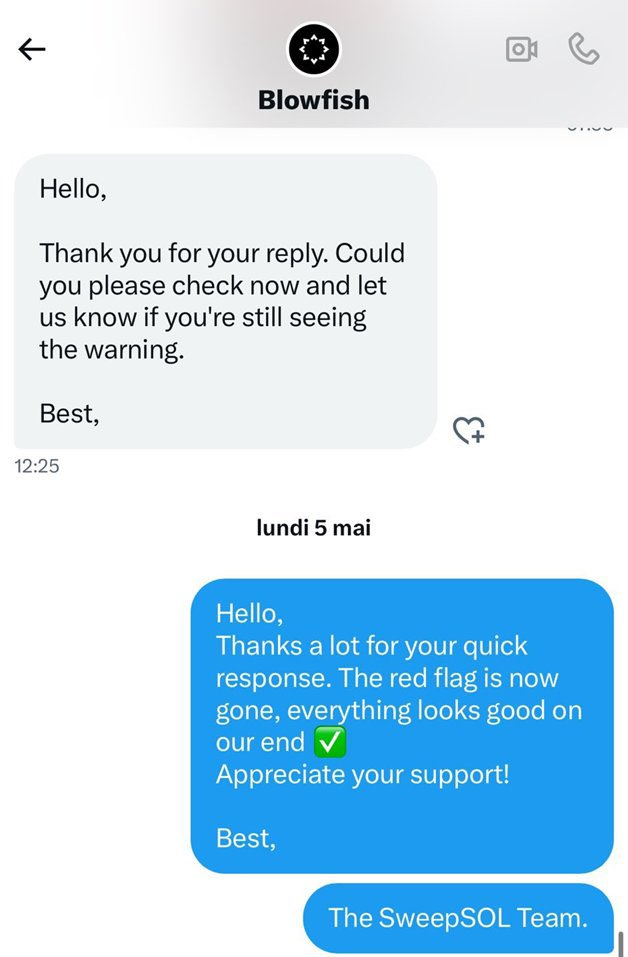
Official Blowfish Whitelist
🔄 Step-by-Step SOL Recovery Process
Follow these exact steps to recover your locked SOL using SweepSOL. The screenshots show the actual interface and process:
1Connect Your Wallet via Phantom App
- Open the Phantom mobile app (not mobile browser)
- Click on the search icon (magnifying glass) in the app
- Type "sweepsol.com" in the search field
- Navigate to the SweepSOL website within the Phantom app
- Click "Connect Wallet" - it will automatically connect your Phantom wallet
- Your wallet address will appear in the interface
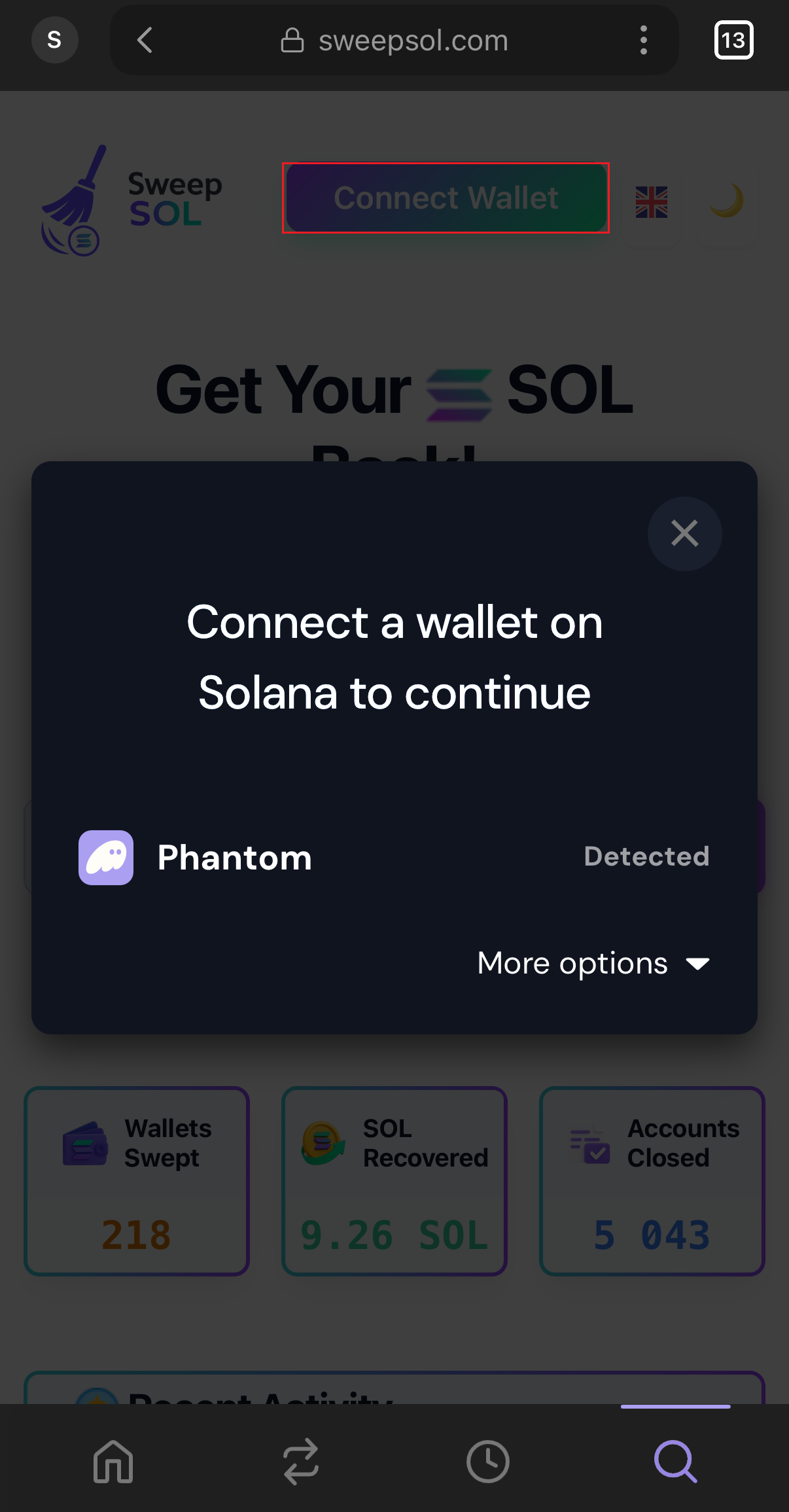
Connect wallet via Phantom app
2Empty ATA Detection & Analysis
- SweepSOL scans your wallet for empty token accounts
- Empty accounts (0 balance) are flagged for recovery
- Active accounts with balances can be recovered by burning their contents (learn more about burning)
- Total recoverable SOL amount is calculated automatically
- Each account shows its current rent status and token type
- Scanning process takes 2-10 seconds depending on wallet activity
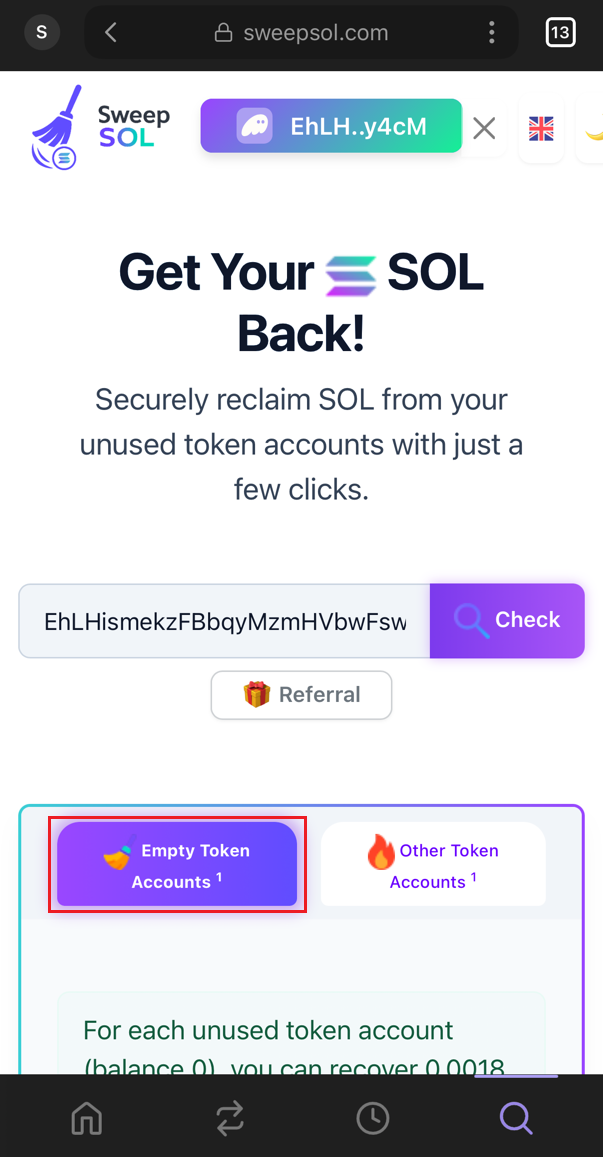
Wallet analysis in progress
3Review Recovery Details
- Click "View details" to see the complete breakdown
- Review the exact recoverable amount
- Check recoverable SOL amounts
- Click "Reclaim SOL" when ready to proceed
- Verify which specific token accounts will be closed
- Review the final net profit after all fees and costs
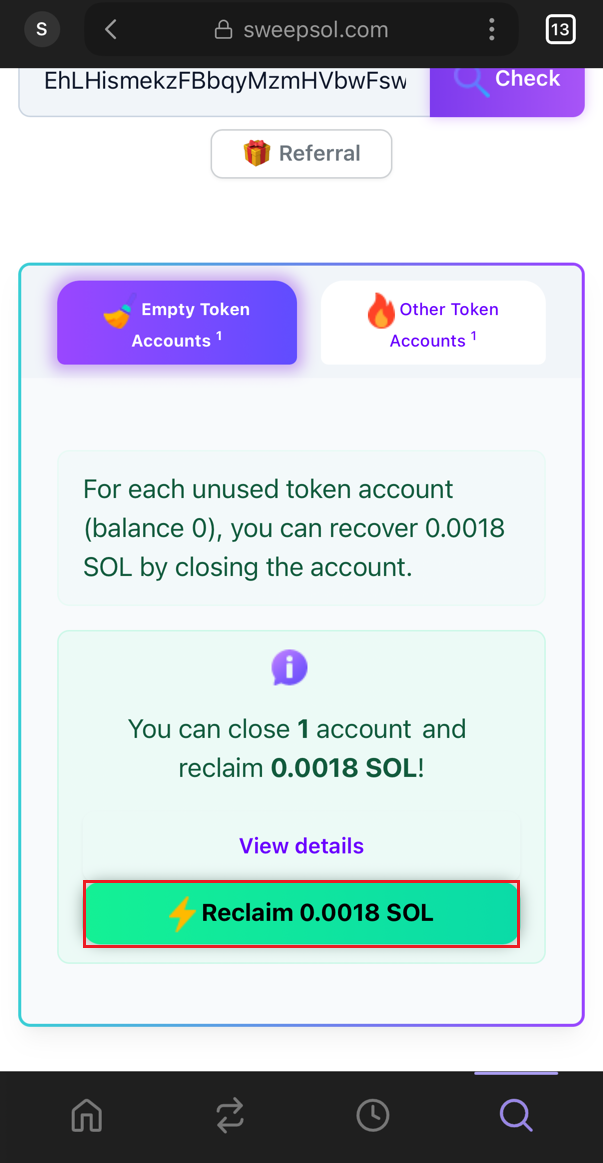
Financial breakdown and account list
4Confirm Transaction
- Your wallet will show the transaction confirmation dialog
- VERY IMPORTANT: Check that the balance change shows POSITIVE (+) in green
- Example: "+0.00184 SOL" in green means you're RECEIVING SOL
- Only confirm if you see the positive green amount
- Click "Confirm" to execute the recovery transaction
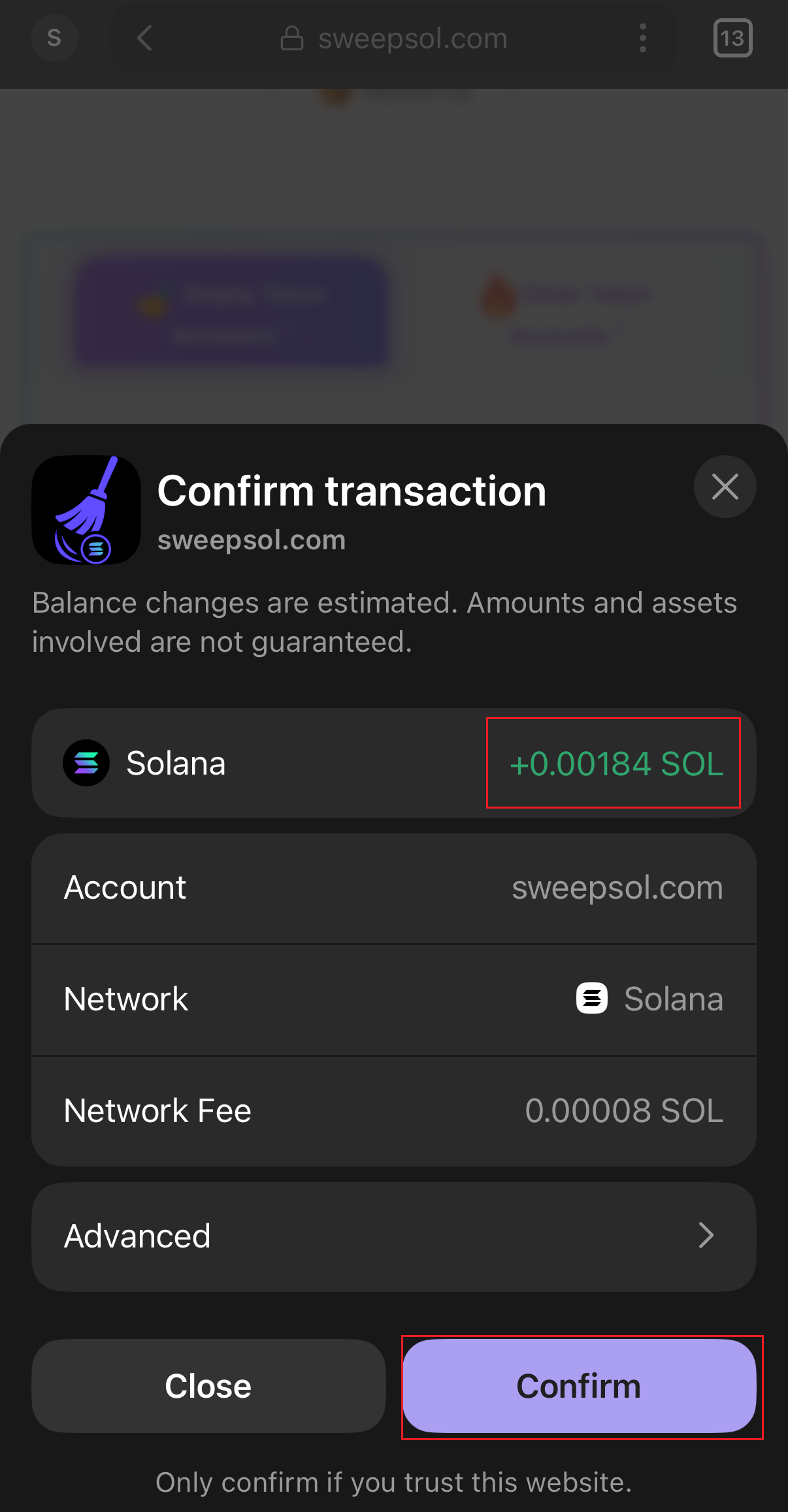
Positive balance confirmation in Phantom
5Transaction Processing
- Transaction is submitted to the Solana blockchain
- SweepSOL displays "Processing" with progress indicator
- Wait for blockchain confirmation (3-30 seconds typically)
- Multiple accounts processed efficiently in batches
- The interface shows transaction hash for blockchain verification
- Progress bar indicates completion percentage during processing
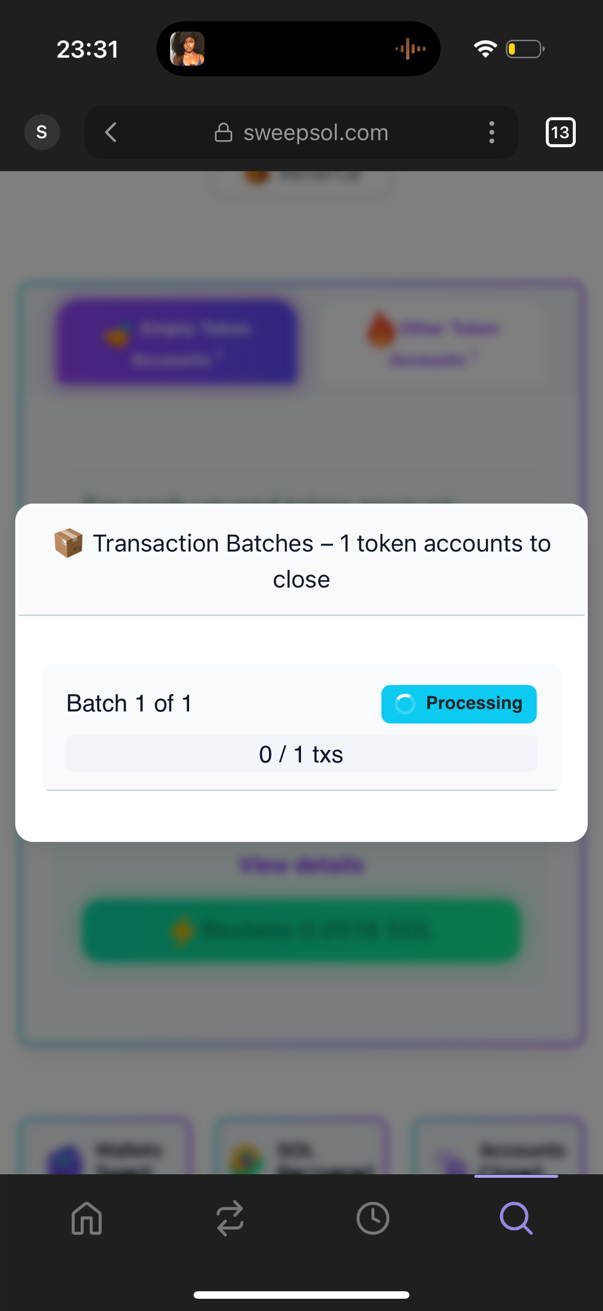
Blockchain processing with real-time updates
6Recovery Success!
- Success message appears: "Congratulations! You've just recovered X SOL!"
- The recovered SOL is immediately available in your wallet
- Empty token accounts have been permanently closed
- IMPORTANT: Share your success on social media!
🚀 Help Others Discover SweepSOL!
After successfully recovering your SOL, please share your victory on social media using the "Share on X" button. Your tweet helps other users discover this tool and recover their own locked SOL.
Why sharing matters: Many users don't know about locked SOL in empty token accounts. Your success story can help them recover hundreds of dollars worth of SOL!
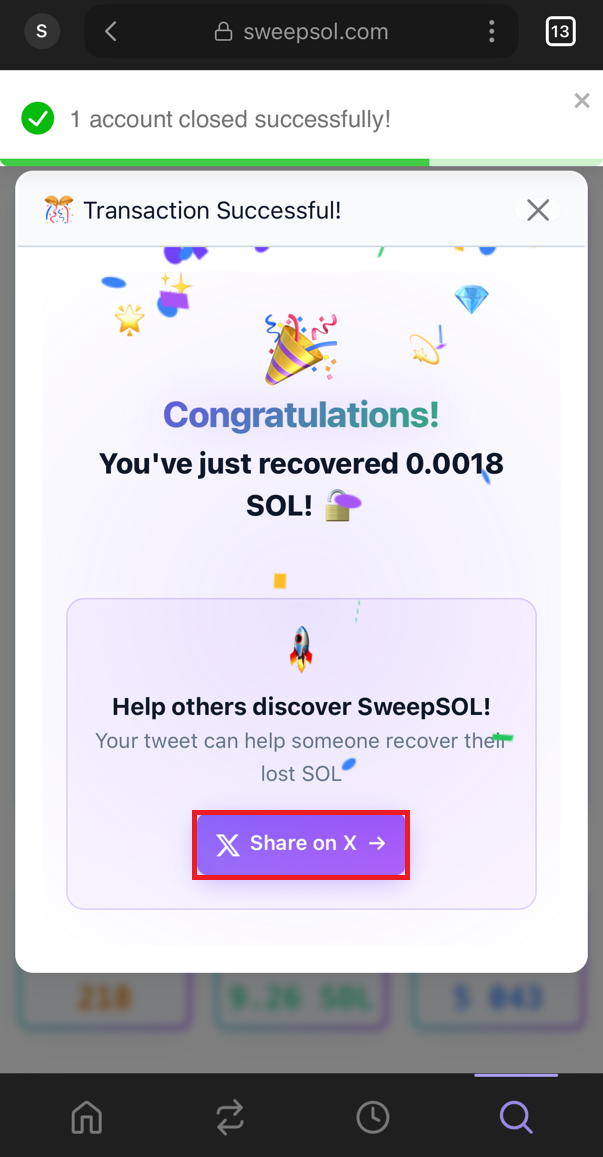
Congratulations! SOL recovered successfully
🔍 How to Find Your Empty ATAs
SweepSOL Tool
Automatic scanner and recovery with user-friendly interface
• Instant ATA detection
• Batch closing (up to 20 accounts)
• Real-time recovery calculation
• Secure transaction verification
Manual Verification via Explorer
Check your wallet manually via Solscan or Solana.fm
• Visit solscan.io or solana.fm
• Enter your wallet address
• Look for "Token Accounts" tab
• Find accounts with 0 balance
Command Line Tools
Advanced users can use Solana CLI tools
•
spl-token accounts•
spl-token close• Requires technical knowledge
• Manual process for each account
🎯 Next Steps
Ready to Recover Your SOL?
Now that you understand how ATA accounts work and the recovery process, choose your next action:
Remember:
- Always verify positive (+) balance changes before confirming transactions
- Share your success on social media to help others discover SweepSOL
- Regular cleanup prevents large accumulations of locked SOL