
 Pump.fun Recovery
Updated: 2025-09-02Pump.fun Recovery
Updated: 2025-09-02Pump.fun is a popular Solana token launch platform. If you created an account using email/social login instead of connecting an existing wallet, Pump.fun generated a wallet for you that may contain recoverable SOL and tokens.
🌐 Web Platform
Built-in wallet management with social login
🎯 Understanding Pump.fun Wallets
When you sign up for Pump.fun with email or social login, the platform automatically creates a Solana wallet for you:
📧 Email Registration
Creating an account with email automatically generates a Solana wallet in the background
🔗 Social Login
Signing in with Google, Twitter, or Apple also creates a managed wallet for trading
💰 Token Trading
Trading tokens on Pump.fun uses this managed wallet for all transactions
🔄 Leftover Assets
Your wallet may contain remaining SOL, tokens, or dust from previous trading activities
💡 Why Export?
Recover remaining SOL
Extract any leftover Solana from trading
Extract any leftover Solana from trading
Access forgotten tokens
Retrieve tokens you may have forgotten about
Retrieve tokens you may have forgotten about
Full wallet control
Use your assets in other Solana wallets
Use your assets in other Solana wallets
🌐 Step 1: Access Your Pump.fun Account
Visit Pump.fun Website
- Open your web browser and go to pump.fun
- Click on "Log in" button in the top right corner
- You will see the wallet connection options
- Choose "login with email or socials" to access your existing account
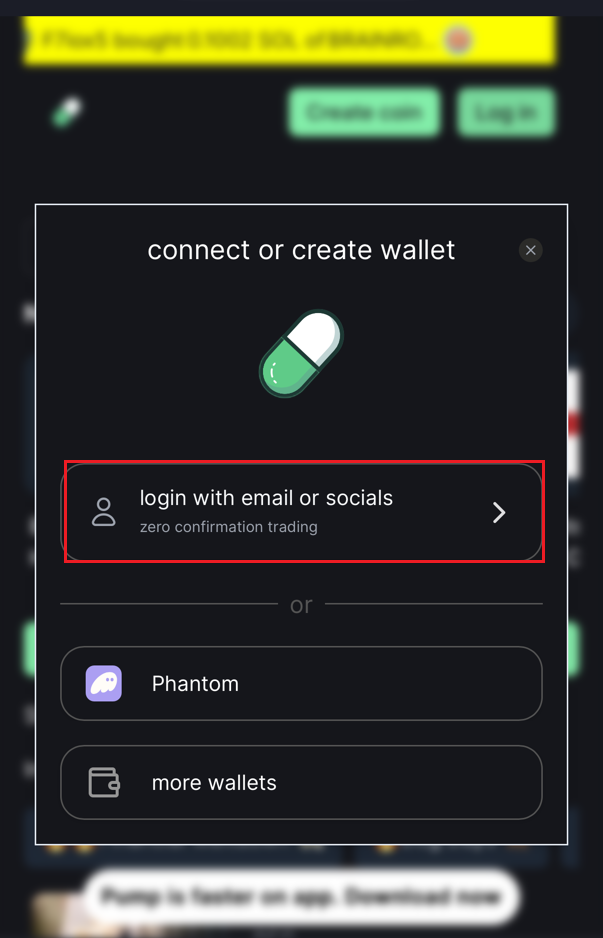 Pump.fun login interface
Login with Your Method
- Select your original signup method (Google, Twitter, Apple, or email)
- Complete the authentication process
- Once logged in, you will be redirected to the main Pump.fun interface
- You should now see your username displayed in the top right corner
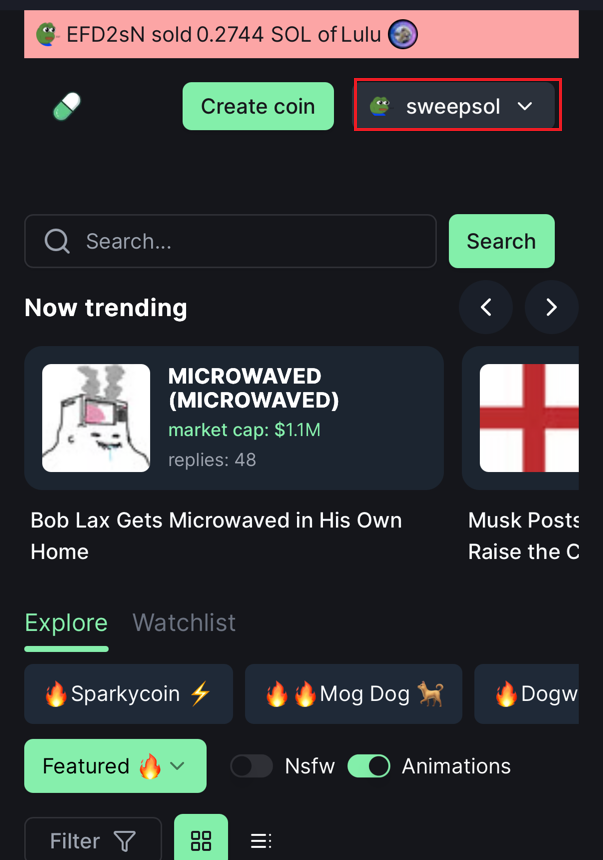 Pump.fun username
💡 Important: Make sure you use the same login method you originally used to create your Pump.fun account. Different login methods create different wallets.
🔑 Step 2: Export Your Seed Phrase
Security Warning: Your private key gives complete access to your wallet. Only export it in a secure environment and never share it with anyone.
Access Your Profile & Wallet
- Now that you are logged in, click on your username in the top right corner
- This will open a dropdown menu with profile options
- Click on "View Wallet" to access your wallet information
- In your wallet view, look for an "Export Wallet" button
- Click on "Export Wallet" and slide to unlock the security confirmation
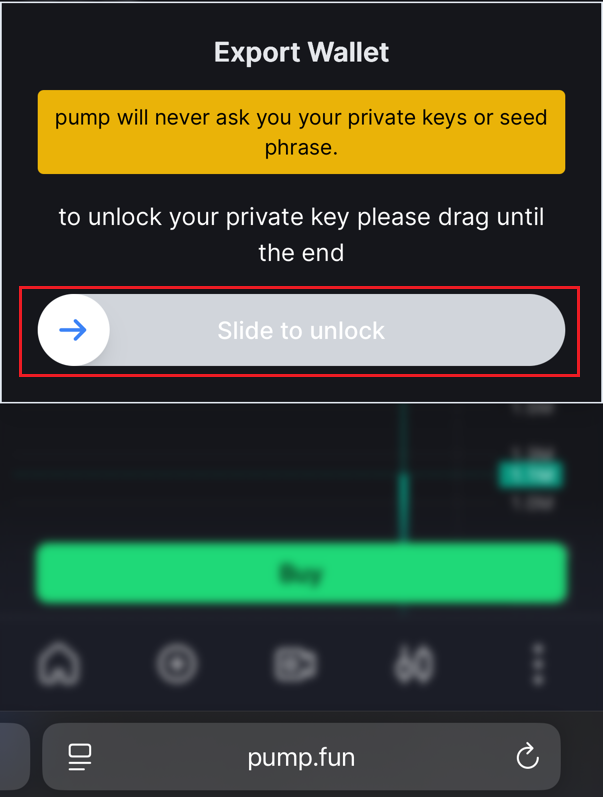 Export Wallet
Copy Your Private Key
- After confirming, your private key will be displayed
- The key appears as a long string starting with numbers/letters
- Click "Copy key" button to copy it to your clipboard
- Immediately paste and save it in a secure password manager
- Never leave private keys in your clipboard long-term
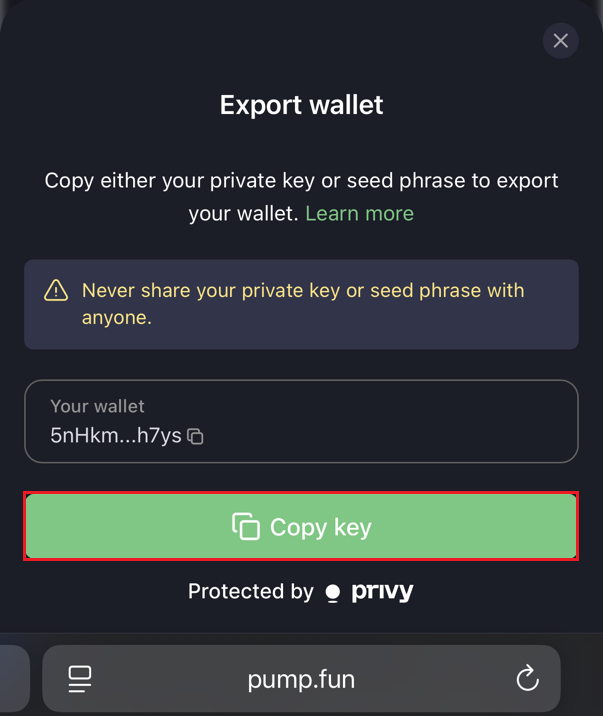 Private key ready to copy
🔐 Private Key Format: Pump.fun exports your private key as a long string of characters. This is different from a 12-word seed phrase, but works the same way for importing into other wallets.
💻 Step 3: Import Wallet to Phantom
Access Phantom Settings
- Open your Phantom wallet
- Click on your profile picture at the top
- Click the settings icon that appears
- Navigate to "Manage Accounts" from the settings menu
- You'll see your current wallet accounts listed
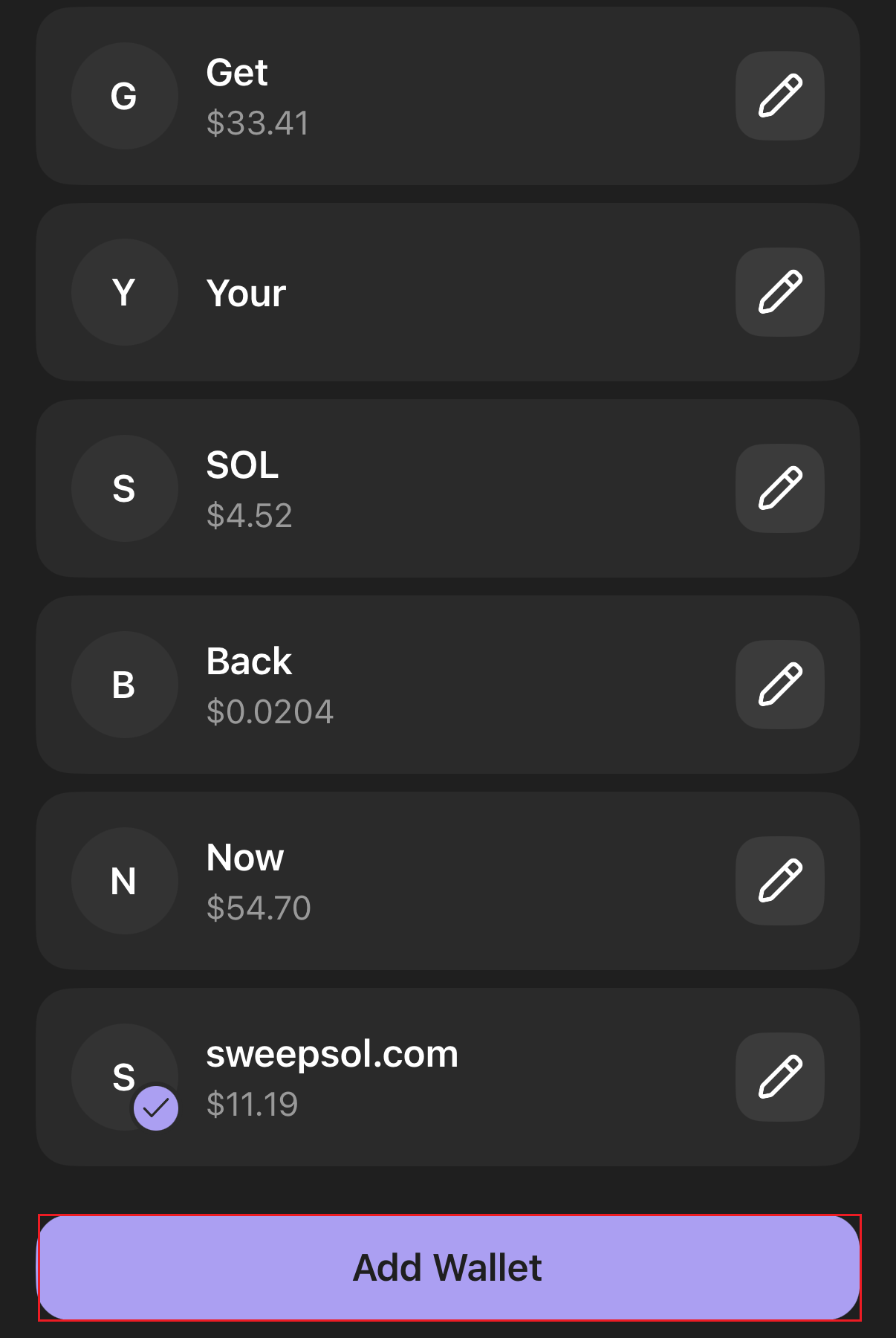 Phantom wallet settings menu
Add Pump.fun Wallet
- Tap "Add Wallet" at the bottom of the accounts list
- Select "Import Private Key" from the options
- Paste your Pump.fun private key (the long string)
- Name it "Pump.fun Trading" for easy identification
- Confirm the import and verify the wallet address matches
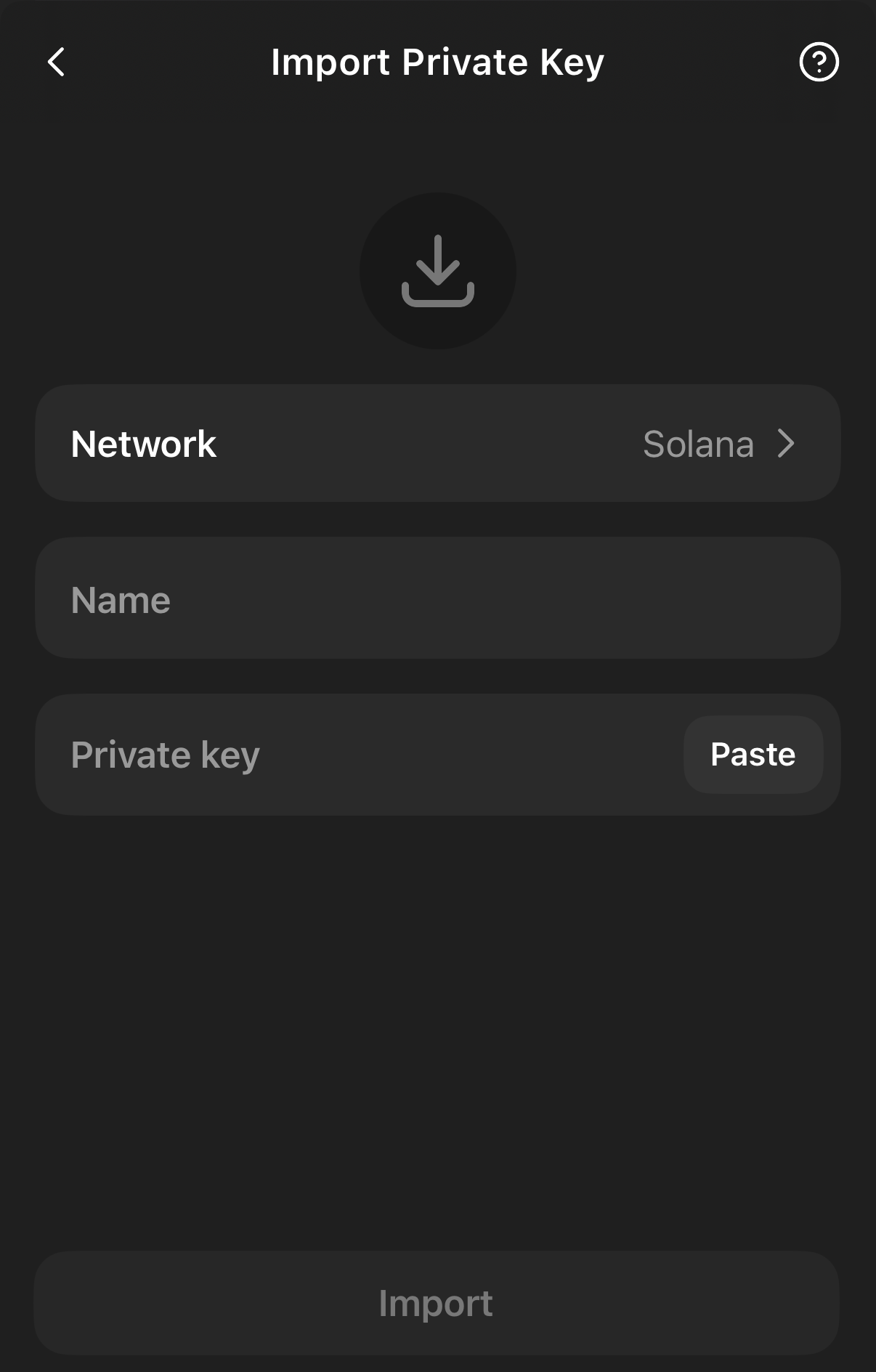 Private key import screen
Import Successful! You should now see your Pump.fun wallet in Phantom with all your tokens and SOL balance. The imported wallet will appear in your account list.
🧹 Step 4: Clean Up Your Pump.fun Accounts
🚀 Use SweepSOL for Maximum Recovery
Now that your Pump.fun wallet is imported into Phantom, you can recover SOL from all empty token accounts:
Recovery Process:
- Visit SweepSOL.com while Phantom is open
- Connect your Phantom wallet
- Switch to your Pump.fun imported account in Phantom
- SweepSOL will scan for empty token accounts automatically
- Review the detected accounts - these are from your bot trading
- Select accounts to close and recover SOL
- Confirm the batch transaction in Phantom
- Receive recovered SOL instantly in your wallet
📊 What SweepSOL Finds
- Empty token accounts from completed trades
- Dust token balances (microscopic amounts)
- Failed transaction residuals
- Abandoned sniper accounts
- Copy-trading leftover accounts
⚡ Batch Processing:
Close up to 20 accounts in a single transaction for maximum efficiency
Close up to 20 accounts in a single transaction for maximum efficiency
🛡️ Security Best Practices for Pump.fun Users
🚨 Never Do This
- Share your Pump.fun private key in social media or chats
- Use the same wallet for large amounts after exporting
- Leave exported credentials in clipboard/notes long-term
- Import the wallet to unknown or untrusted applications
⚠️ Platform Safety
- Use strong passwords for your Pump.fun account
- Enable 2FA on your email/social accounts used for login
- Regular cleanup prevents large token accumulation
- Monitor your wallet regularly for unexpected activity
✅ Recommended Practices
- Export your wallet regularly if actively trading
- Use hardware wallets for long-term storage
- Keep detailed records of imported wallets
- Transfer recovered assets to secure main wallet
💡 Advanced Pump.fun Recovery Tips
🎯 Maximize Your Recovery:
- Check multiple login methods: If you used different social logins, each creates a separate wallet
- Include test trades: Even small test transactions may have left tokens behind
- Look for token remnants: Partial sales often leave dust amounts of tokens
- Historical trading data: Review your Pump.fun trading history before exporting
⚙️ Post-Recovery Maintenance:
- Transfer valuable tokens: Move any remaining tokens to your main wallet
- Secure credential cleanup: Safely delete exported private keys after import
- Wallet organization: Rename imported accounts clearly in Phantom
- Regular monitoring: Check for new activity periodically
🎯 Ready to Recover Your Pump.fun SOL?
🚀 Start Recovery Process
Export from Pump.fun, import to Phantom, then use SweepSOL to recover your locked SOL from trading accounts
Launch SweepSOLWorks with all imported Pump.fun wallets
 ATA Accounts
 Token Burning