 Token Burning
Updated: 2025-09-01Token Burning
Updated: 2025-09-01🔥 Understanding Token Burning
Token burning is the process of permanently destroying tokens to close their Associated Token Account (ATA) and recover the locked SOL rent. This is particularly useful for worthless or low-value tokens that are cluttering your wallet.
🔥 Token Burning Example:
Before Burning:
- You have 278,000 CULTURE tokens
- Token value: ~$0.01 (worthless)
- 0.002 SOL locked as rent
- Account takes up wallet space
After Burning:
- All 278,000 tokens permanently destroyed
- Account completely closed
- 0.0018 SOL recovered to wallet
- Wallet cleaned up and organized
Safety Protection:
SweepSOL only burns non-NFT, non-frozen tokens with a known Jupiter price under a few cents. Tokens without a known price are excluded from burning. This protects valuable tokens and NFTs from accidental burning.
See above
0.0018 SOL
~$0.36
⚡ When to Use Burning
Failed pump.fun tokens, rugs, etc.
Random tokens sent to your wallet
Tiny amounts left after selling
Abandoned or failed tokens
⚠️ Warning: Burning is irreversible! Tokens are permanently destroyed.
🛡️ Security & Trust
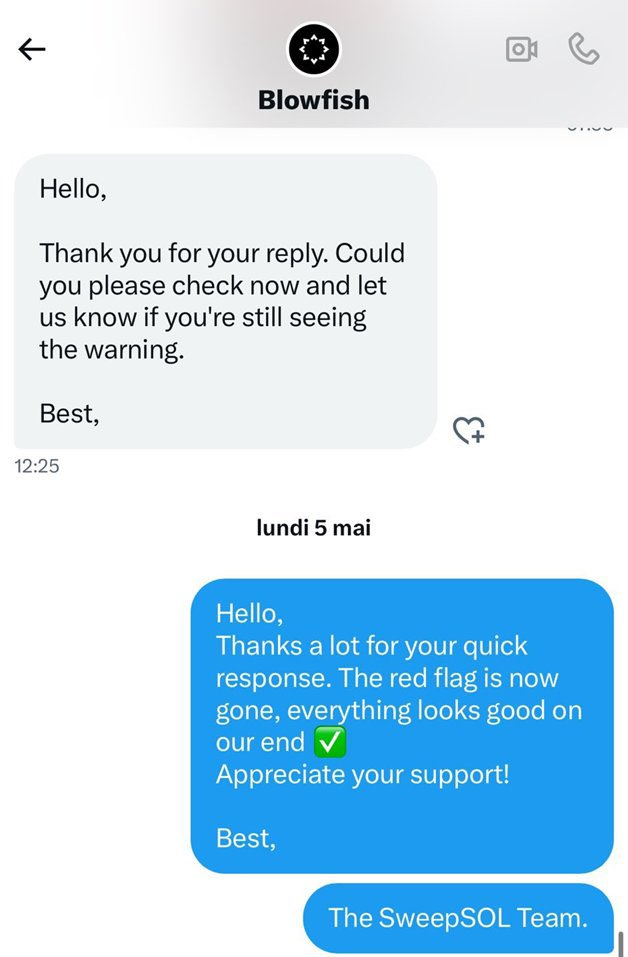
✅ Whitelisted by Blowfish Security
SweepSOL has been officially whitelisted by @blowfishxyz in early May 2025, confirming the tool's security and legitimacy.
What is Blowfish?
Blowfish is a leading web3 security platform that helps wallets and applications protect their users against scams, hacks, and mistakes across 10+ blockchains. They provide real-time transaction analysis and fraud detection to prevent malicious activities.
- Trusted by major wallets like Phantom (which acquired Blowfish in November 2024)
- Has prevented 2.8 million scams and protected over $18 billion worth of assets
- Scanned over 1.3 billion transactions for security threats
- Provides transaction simulation and domain scanning for proactive defense
Official Blowfish Whitelist
🔄 Step-by-Step Token Burning Process
Follow these exact steps to burn worthless tokens and recover SOL using SweepSOL. The screenshots show the actual interface and process:
1Connect Your Wallet via Phantom App
- Open the Phantom mobile app (not mobile browser)
- Click on the search icon (magnifying glass) in the app
- Type "sweepsol.com" in the search field
- Navigate to the SweepSOL website within the Phantom app
- Click "Connect Wallet" - it will automatically connect your Phantom wallet
- Your wallet address will appear in the interface
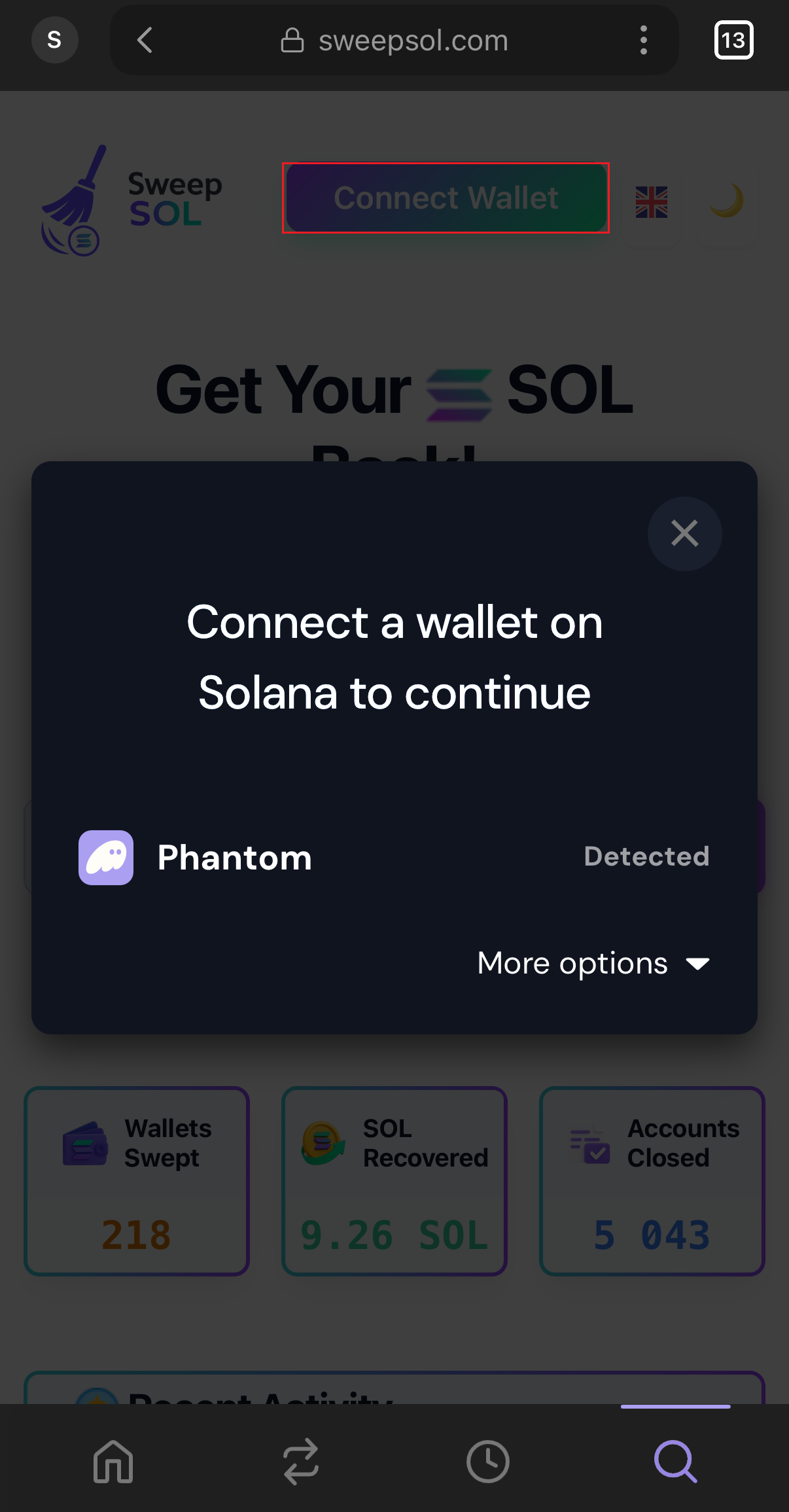
Connect wallet via Phantom app
2Token Account Detection & Analysis
- SweepSOL scans your wallet for all token accounts
- Identifies accounts with low-value tokens
- Shows "Empty Token Accounts" (0 balance) and "Other Token Accounts" (with balances)
- Click on "Other Token Accounts" to see burnable tokens
- Only safe-to-burn tokens are displayed for selection
- Total recoverable SOL amount is calculated automatically
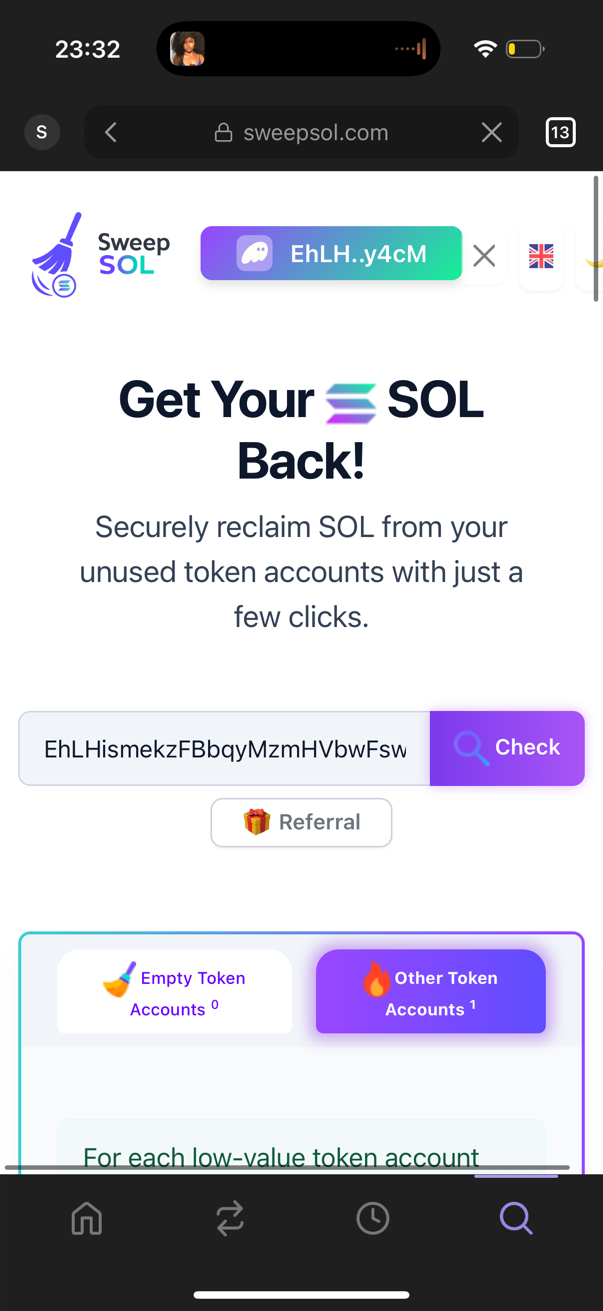
Token analysis and categorization
3Select Tokens to Burn
- Review the list of burnable tokens (example: CULTURE token)
- Check token details: name, balance, and current value
- Verify that only worthless tokens are shown
- See the exact SOL recovery amount (example: "0.0018 SOL")
- Click "Burn ALL & Reclaim X SOL" to proceed
- Multiple tokens can be burned in batches for efficiency
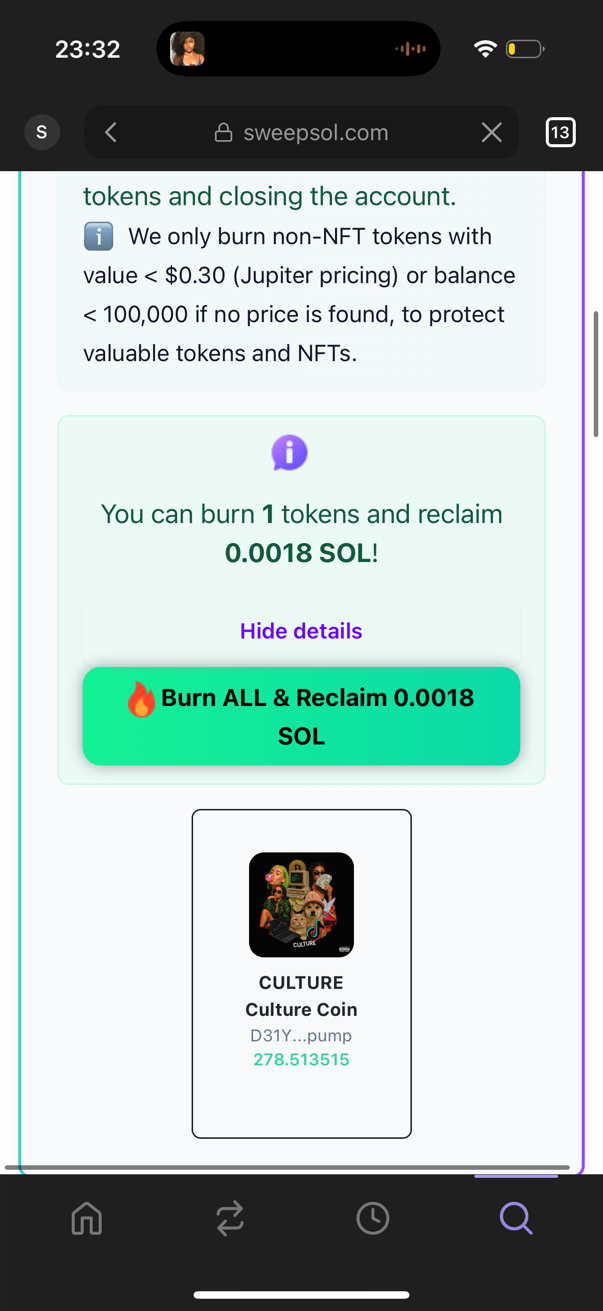
Choose tokens to burn and see recovery amount
4Confirm Burn Action
- SweepSOL displays a confirmation dialog: "Confirm Burn"
- Shows exactly how many tokens will be burned (example: "burn 1 token account(s)")
- Warning message: "This action is irreversible" reminds you tokens will be permanently destroyed
- Click "Yes, burn them" only if you're certain these tokens are worthless
- Click "Cancel" if you need to review your selection
- Double-check the token list before confirming to avoid mistakes
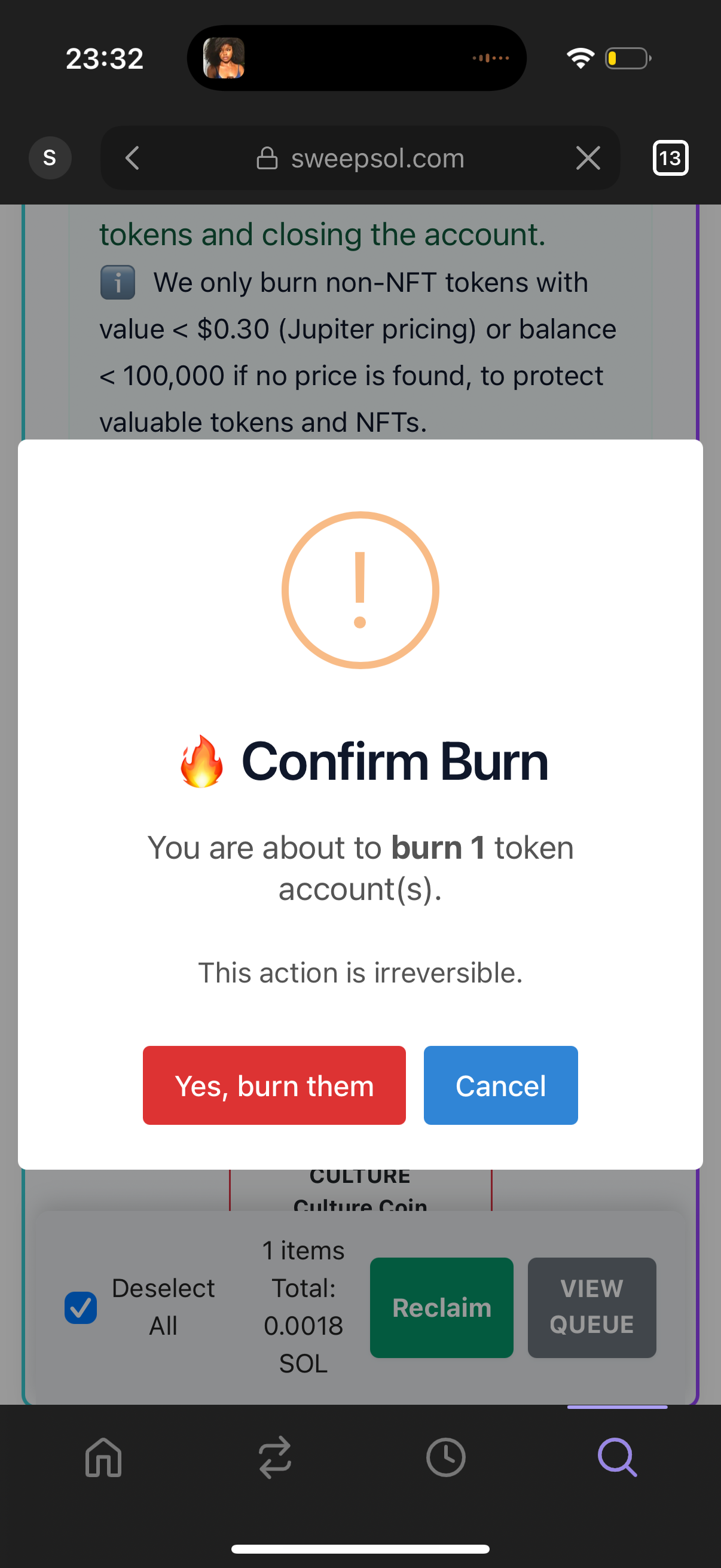
Final confirmation before irreversible burning
5Wallet Transaction Confirmation
- Phantom wallet shows the transaction confirmation dialog
- CRITICAL: Verify the positive (+) SOL balance change in green
- Example: "+0.00184 SOL" shows you're RECEIVING SOL back
- The "Unknown" token shows the tokens being burned (negative amount in red)
- Check network fee (typically ~0.00008 SOL)
- Click "Confirm" only if you see positive SOL balance change
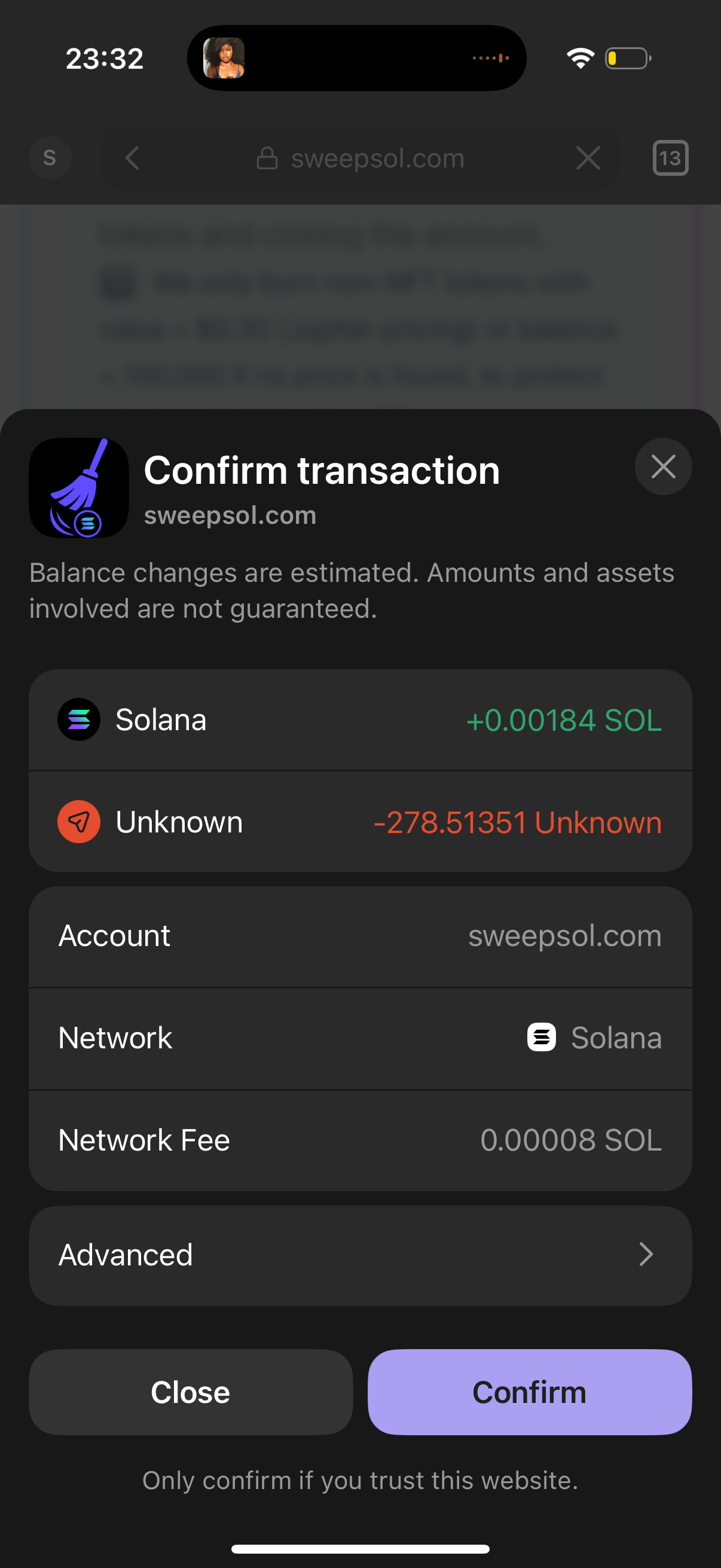
Phantom showing positive balance confirmation
6Transaction Processing
- Burn transaction is submitted to the Solana blockchain
- SweepSOL shows "Transaction Batches" with progress indicator
- Example: "Batch 1 of 1" with "Processing" status
- Wait for blockchain confirmation (3-30 seconds typically)
- Multiple tokens can be burned efficiently in single batch
- Progress shows "0 / 1 txs" updating to completion
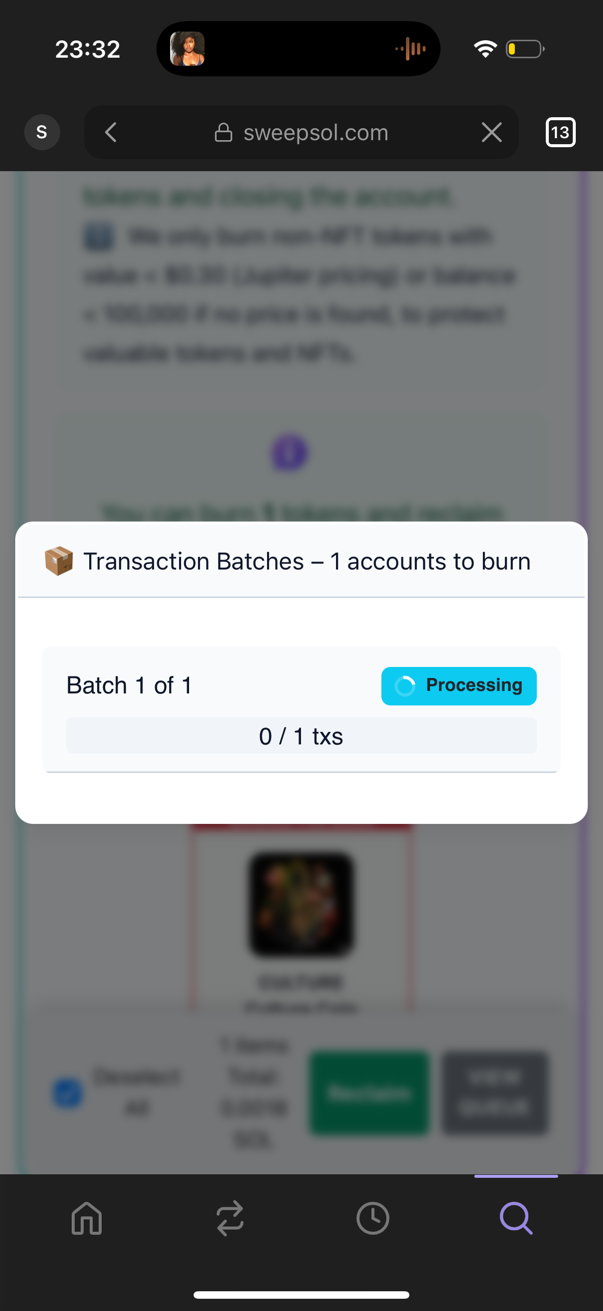
Blockchain processing burn transaction
7Burn Success & SOL Recovery!
- Success message: "Congratulations! You've just recovered X SOL!"
- Example: "1 account burned and closed successfully!"
- The recovered SOL is immediately available in your wallet
- Burned tokens are permanently destroyed and accounts closed
- SHARE YOUR SUCCESS: Help others discover SweepSOL!
🚀 Spread the Word!
After successfully burning tokens and recovering SOL, use the "Share on X" button to post about your success. Your tweet helps other users learn about token burning and SOL recovery.
Why sharing helps: Many users accumulate worthless tokens without knowing they can burn them to recover SOL. Your success story shows them this valuable wallet cleanup technique!
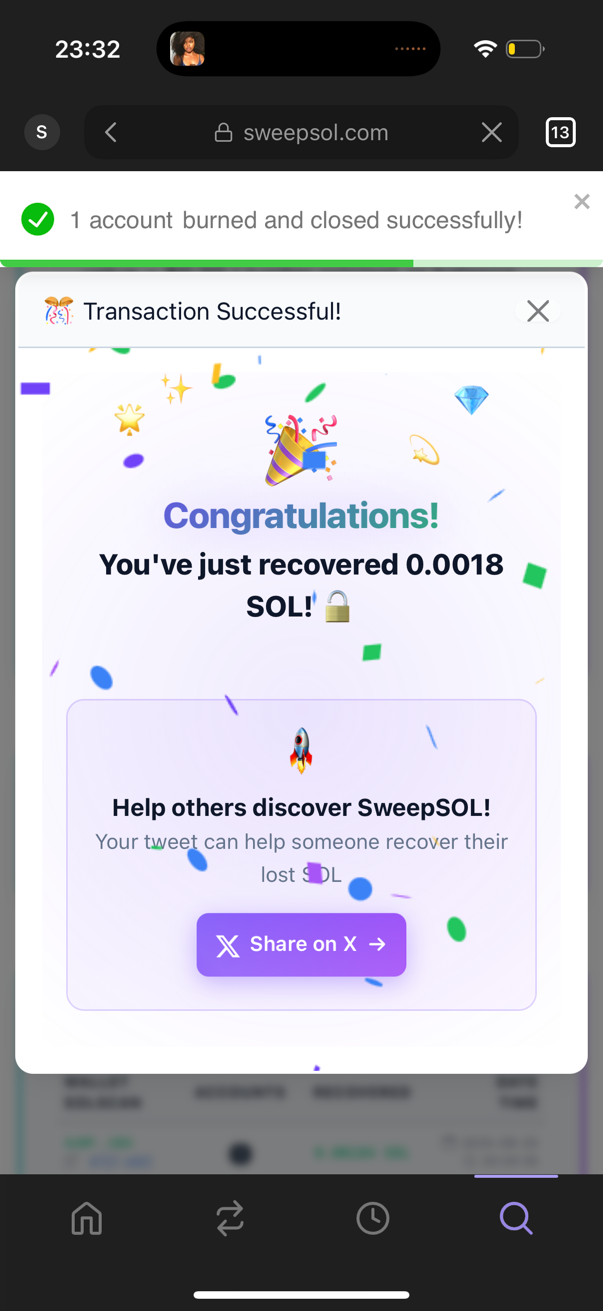
Tokens burned! SOL recovered successfully!
🛡️ Safety Guidelines & Best Practices
✅ Safe to Burn
- Meme coins with no value
- Airdrop spam tokens
- Failed pump.fun tokens
- Dust amounts from previous sales
- Dead project tokens
- Confirmed rugs and scam tokens
❌ Never Burn
- Tokens with value
- NFTs (Non-Fungible Tokens)
- Frozen tokens
- Major coins (SOL, USDC, etc.)
- Tokens you're unsure about
- Anything with sentimental value
🎯 Next Steps
Ready to Clean Your Wallet?
Now that you understand token burning and the safety measures in place, choose your next action:
Remember:
- Token burning is permanent and irreversible
- Always verify positive (+) SOL balance changes in your wallet
- Only burn tokens you're absolutely certain are worthless
- Share your success to help others discover wallet cleanup!